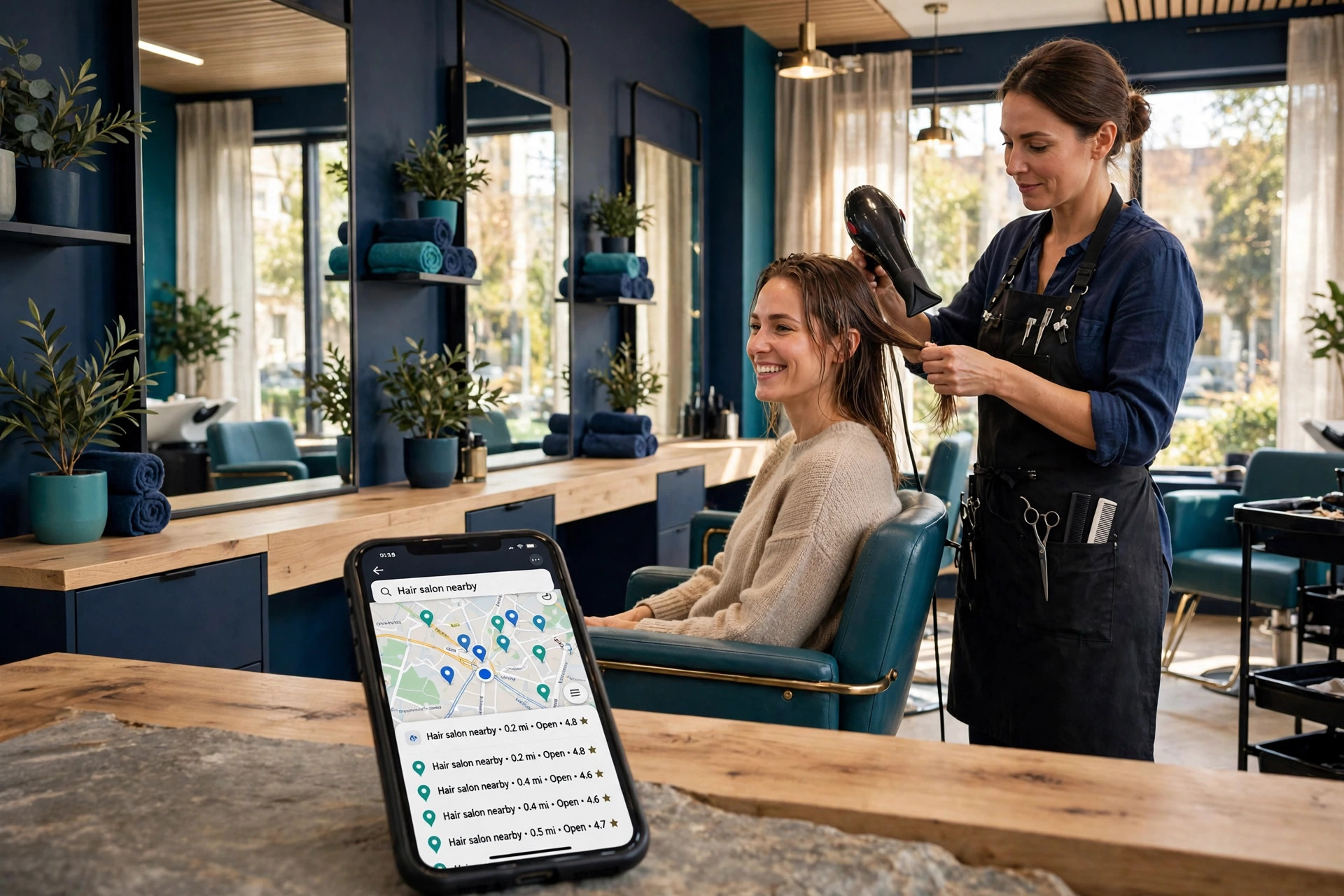
Picture this. A woman moves to a new area. She opens Google Maps, types 'hair salon near me', and picks from the three salons at the top.
She never visits a website first. She never scrolls a feed. The map decides.
Nearly half of all Google searches carry local intent — someone looking for something nearby. And the three map results at the top, the local 3-pack, take about 44% of all clicks on the first page.
If your salon is not in those three, you are invisible to the person who was ready to book today.
Why Google Maps decides who gets the booking
Google ranks map results on three things: relevance, distance, and prominence.
Relevance is how well your profile matches what the person searched. Distance is how close you are. Prominence is how well known your salon is — and Google says reviews count toward it.
You cannot move your salon closer to every client. But relevance and prominence are fully in your hands.
A salon two streets away with a complete profile, fresh photos, and fifty recent reviews will beat a closer salon with an empty listing every single time.
You cannot pay for a better spot on Google Maps. The free listing is earned — a complete profile, real photos, and honest reviews are what move you up.
Step 1 — Claim your free Google Business Profile
Everything on Maps starts with one free listing: your Google Business Profile.
Go to business.google.com and search for your salon name and town first. Many salons already have a listing that nobody has claimed — a customer or Google created it from public information.
If one exists, claim it. If nothing exists, create it. It costs nothing and takes about an hour.
Use your real salon name, exactly as it appears on your sign and your invoices. Do not add keywords like 'Best Hair Salon in Town' to the name — Google's own guidelines say that can get your profile suspended.
Step 2 — Pick the right category (this matters more than you think)
Your primary category is the single strongest thing you type into the profile.
Do not pick 'Beauty salon' if your real work is hair. Pick the most specific option Google offers — 'Hair salon', 'Nail salon', 'Barber shop' — whatever matches the service you want to be found for.
Then add a few secondary categories for the other services you genuinely offer, like hair colouring or bridal styling. Only list services you really do. A wrong category brings the wrong enquiries — and eventually bad reviews.
Not sure which category to pick? Search your main service plus your town, open the three salons already in the map results, and see which primary category they use.
Copy the category of the salon already ranking first for your service in your town — that is the category Google rewards for that search.
Step 3 — Fill in every service, with real prices
An empty profile tells Google nothing. A full profile tells Google exactly who to show you to.
List every service you offer, with a short description and a starting price where you can. Haircut, balayage, bridal hair, manicure, pedicure — each one is a separate chance to match a search.
Add your real opening hours and keep them updated. Inaccurate hours are the worst mistake a salon can make on Google: they send a client to a locked door, and a locked door often becomes a one-star review.
Add your phone number and your website link. Use the exact same name, address, and phone number on your profile as on your website, character for character. Google cross-checks them — if they do not match, Google trusts you less.
Step 4 — Photos of real work, not stock photos
Clients choose a stylist with their eyes. Your photos are your portfolio, and they sit right on your listing.
Upload photos of real work: a fresh balayage, a bridal updo, a clean fade, your chairs, your team at work. Ten or more photos is a good start — and keep adding new ones every month.
Salons ranking in the local 3-pack average more than 50 reviews with a 4.5-star rating or higher. But photos are what make a client tap your listing instead of the one next to it.
Stock photos of strangers do the opposite. Clients can tell, and so can Google.
Step 5 — Reviews are the tiebreaker
When three salons sit side by side on the same street, reviews decide who gets the call.
Almost half of consumers will not use a business with fewer than 20 reviews, and nearly a third only use businesses rated 4.5 stars or above (BrightLocal, 2026).
The reviews that help most mention the service and the stylist by name: 'Sara did my balayage and it is perfect.' Those words tell Google what you are good at, and they tell the next client exactly what to expect.
How do you get them? Ask at the right moment — right after the service, when the client is happiest, looking at her hair in the mirror.
Ask for the review on the day of the appointment, while the client is still smiling at the result. Two or three new reviews every week beat thirty old ones from last January.
Never buy reviews, and never write your own. Google notices, and the punishment — lost visibility — is worse than having few reviews.
And when a bad review arrives, answer it. The reply matters more than the review itself, because every client who comes after reads it. A calm, kind reply turns a complaint into proof that you care.
Step 6 — Add a booking button, so the booking happens on the spot
Here is the part most salons miss. A client finds you on Maps, likes what she sees — and then has to leave Google, find your website, find your booking page, and start again. Most will not bother. The booking goes to the salon whose listing has a button.
Google's Reserve with Google feature puts a Book button right on your listing, so clients can pick a service and a time without leaving Google. It connects to the booking software you already use, and the appointment lands straight in your calendar.
It matters more than most owners realise: more than half of salon appointments are now booked outside standard working hours, and nearly half are made within 24 hours of the visit (Professional Beauty, August 2026). Your clients book at 10 pm on a Sunday. Your listing must be ready to take that booking while you sleep.
Your website still matters — it backs up everything on Maps
A strong profile wins the tap. Your website wins the booking.
When a client does click through, she wants to see your full price list, your gallery, and your stylists — and book in seconds, on her phone. A slow or messy website sends her straight back to the map, to your competitor.
Your website and your Google profile must also agree with each other: same name, same address, same phone number, same services. Google checks, and so do your clients.
That is exactly what we build at CRAFTLOGIC — fast, beautiful salon websites with online booking built in, designed to turn a Google search into a confirmed appointment. See what a website like that looks like at https://craftlogic.live/.
Your salon's 7-day Maps checklist
You do not need a marketing budget. You need one focused week.
- Claim your Google Business Profile and verify it.
- Set the most specific primary category for your main service.
- List every service with a short description and a starting price.
- Upload ten real photos of your work and your salon.
- Check your hours — and update them before every holiday.
- Ask three happy clients for a review this week, right after their appointment.
- Add your booking link so clients can book without leaving Google.
Start with the profile, then the reviews, then the photos. That order — profile, reviews, photos — is the cheapest source of new salon clients there is, and the only one that works while you sleep.
Get found before your competitor does
Every salon in your town can claim the same free listing. The ones who fill it in properly are the ones who stay fully booked.
If you want a website that backs up your Google Maps listing — fast, beautiful, with online booking that works on a phone — we can show you exactly what it would look like for your salon first. We build a free homepage concept, so you can see it before you decide anything.
Visit our contact page (https://craftlogic.live/#contact) and tell us about your salon. Your next fully booked week could start with one search.